Elevating Your Stream: The Practical Role of a Digital Live Streaming Overlay Vector
A professional live stream is more than just a camera feed and gameplay. It is a cohesive visual environment, a branded space where content meets audience. At the heart of creating this polished look is a specific type of asset: the Digital Live Streaming Overlay Vector. Understanding what this is and how it functions within a broader production workflow is essential for streamers, content creators, and online professionals aiming to enhance their broadcast quality efficiently.
What is a Digital Live Streaming Overlay Vector?
A Digital Live Streaming Overlay Vector is a graphic design file specifically created to frame and decorate a live video stream. Unlike standard image files (like JPEGs or PNGs), a vector file—such as an AI, EPS, or PDF—is built from mathematical paths rather than pixels. This means it can be resized to any dimension without losing clarity or sharpness, a crucial feature for adapting to different screen resolutions and streaming platform requirements.
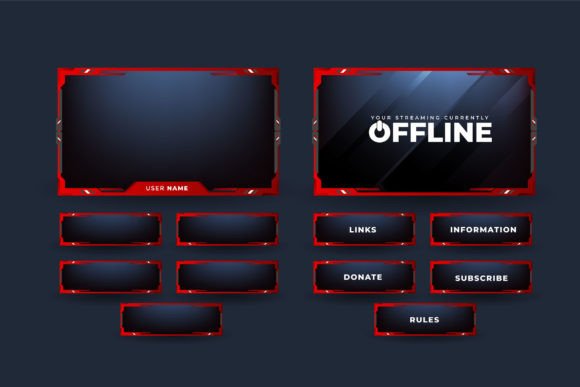
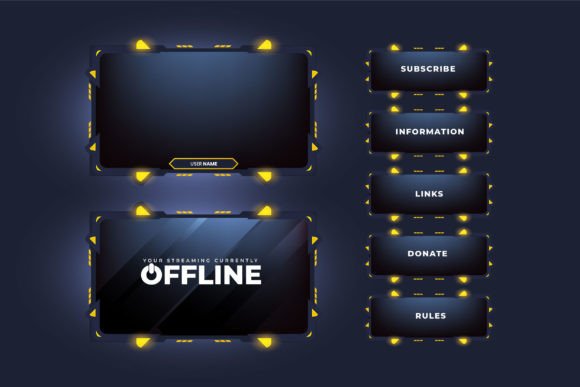
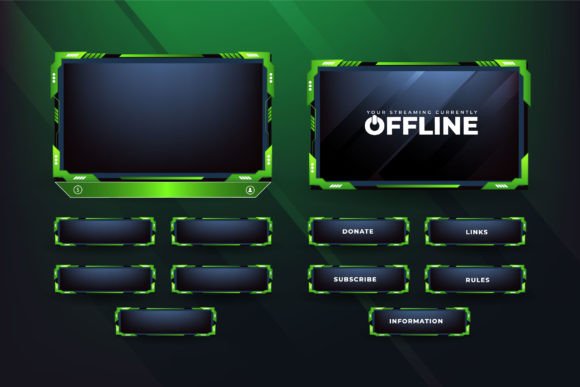
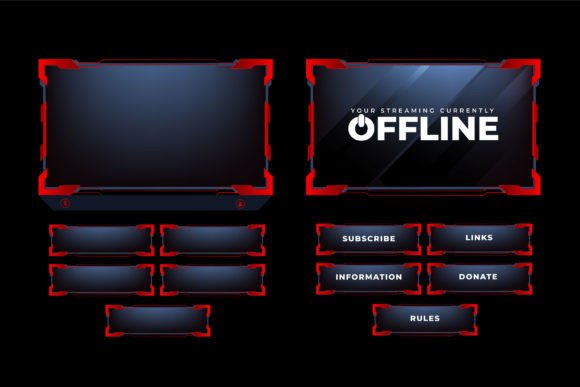
The overlay typically includes non-interactive decorative elements: borders, panels, text frames, and thematic artwork that sit around or behind the active content areas (like the game screen or webcam feed). For instance, a design with dark red color outlines and dark screen panels provides a consistent, branded aesthetic that doesn’t interfere with the core content. These elements establish visual hierarchy, direct viewer attention, and reinforce the streamer’s identity. In essence, it’s the static, professional backdrop to the dynamic live action.
Integrating the Overlay into Your Production Workflow
The use of a Digital Live Streaming Overlay Vector is not a standalone task; it is a preparatory step embedded within a larger content creation process. Its integration happens primarily before the live broadcast begins, during the setup and configuration phase of your streaming software.
Preparation and Setup
Your workflow starts after acquiring the vector file. You receive it in multiple formats—AI, EPS, PDF, high-resolution vector—ensuring compatibility with various software. Before your stream, you import this file into your design application or directly into your broadcasting software (like OBS Studio, Streamlabs, or Twitch Studio). Because it is a vector, you can adjust its size precisely to fit your canvas without worrying about pixelation. This step is about ensuring technical compatibility and visual alignment: the overlay must frame your content areas correctly without obscuring critical game information or your camera view.
A key practical consideration is layer management. In your streaming software, the overlay is placed as a static image layer beneath or around your dynamic sources (game capture, webcam). Proper organization here prevents visual clashes and ensures a clean composite output. Testing this setup offline is a fundamental quality control step; you verify that the live gaming broadcast border element enhances rather than distracts.
Consistency and Branding Across Sessions
The overlay’s role extends beyond a single session. Once configured, it becomes a reusable asset. This promotes consistency, a vital element for building a recognizable channel. Viewers develop visual associations, and a consistent overlay contributes to a professional, reliable appearance. For entrepreneurs and marketers using live streaming for business, this consistency is part of brand integrity. The vector format supports this long-term use perfectly; as your needs change or you upgrade equipment, the same file can be scaled and adapted indefinitely.
Practical Applications and Extended Uses
While the primary function is for live video, the versatility of a Digital Live Streaming Overlay Vector file unlocks other practical applications within a creator’s ecosystem. This aligns with a process-oriented mindset where assets are leveraged across multiple projects to increase efficiency.
The file formats provided—especially the EPS and PDF—are industry-standard for professional design tools. This means the same core design can be repurposed. For example, elements from the overlay can be extracted and used for:
- Creating thumbnail templates for your YouTube videos or stream archives.
- Designing branded social media posts to promote your live schedules.
- Developing printable merchandise designs, like posters or stickers, for community engagement.
The description from stores like Ifti Digital Graphic Store highlights this multipurpose potential. These digital clip art files can be used for vinyl decals, clothes printing, card invitations, and more. For a content creator or small business owner, this represents efficient resource management. One purchase and one design file can feed into multiple aspects of your visual identity and product creation, from on-screen branding to physical merchandise.
Compatibility with Creative Tools
A crucial factor in smooth integration is tool compatibility. The mention that each design works in applications like Cricut Design Space is significant. It bridges the digital and physical creation workflows. A streamer who also runs a small e-commerce shop selling branded items can use the exact same vector file for their stream overlay and to create cut files for t-shirt vinyl or engraved items. This eliminates the need to recreate designs, ensuring visual uniformity across all audience touchpoints and saving considerable time in the design execution phase.
Workflow Observations and Implementation Tips
Successfully implementing a Digital Live Streaming Overlay Vector into your routine involves a few practical observations.
First, focus on usability over complexity. An overlay with a clean design, like dark panels and clear outlines, is often more effective than an overly busy one. It should serve the content. During your implementation, ensure key screen areas (health bars, chat windows) are not blocked by decorative elements.
Second, maintain a library of assets. As you acquire different overlays for various themes or events, organize them in a structured digital library with clear naming. This makes switching overlays for special occasions or sponsored streams a quick, hassle-free process, contributing to overall workflow efficiency.
Third, understand the interaction with other broadcast assets. The overlay is the foundation layer. It interacts with animated alerts, widgets, and dynamic text. Choose an overlay with a color scheme and layout that allows these interactive elements to pop visually. The dark red outline example provides a strong color accent that can complement other on-screen graphics without dominating them.
Ultimately, the use of a professional Digital Live Streaming Overlay Vector is a decision that impacts the preparation, execution, and long-term consistency of your live broadcasts. It is a process step that, when executed with attention to compatibility and design purpose, elevates the production quality, supports brand development, and provides a versatile asset for broader creative projects. By integrating it thoughtfully into your setup routine, you create a more polished, professional visual space for your audience, allowing your core content—and your expertise—to shine.